


Coloring & Learn
Orange Studios Games
Coloring & Learn is the kind of educational game I would keep ready for a quiet afternoon, a short trip, or a moment when a child wants to use a phone or tablet without being pushed toward a competitive game. It combines drawing, coloring, imagination, and simple learning activities in a format that feels approachable rather than demanding. I reviewed it as a parent-friendly creative tool, and my overall impression is that its biggest strength is not complexity but accessibility: a child can begin quickly, experiment freely, and finish a small activity without needing a long explanation.
Developed by Orange Studios Games, this free game sits in the educational category and is suitable for everyone. Its broad audience is reflected in its reach, with over 100 million installs and an average rating of 4.2 from around 285 thousand ratings. Those figures do not automatically make it right for every family, but they do suggest that the basic idea works for a large number of casual learners and young players.
How the game feels in everyday use
The first thing I noticed is that Coloring & Learn is designed around immediate interaction. Instead of asking the player to understand a complicated menu or memorize rules, it invites them to choose an activity and start making marks. That matters with younger children, because the time between opening an app and doing something enjoyable can decide whether they stay engaged.
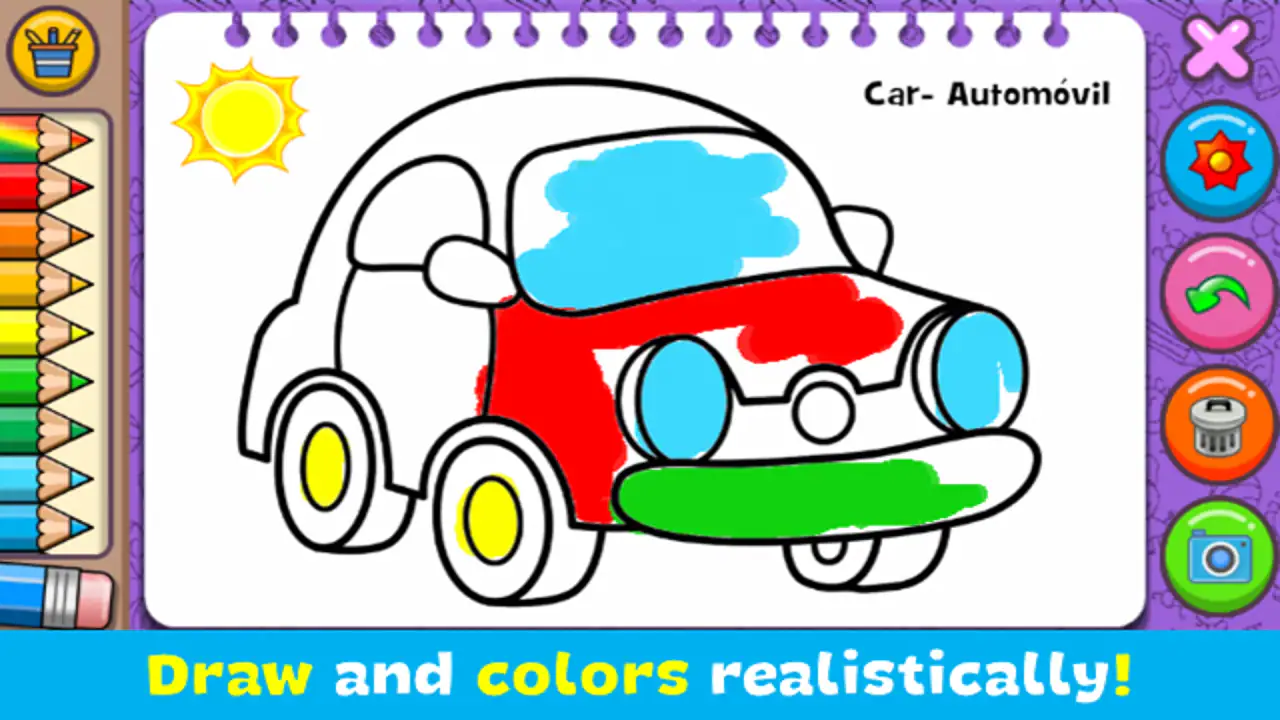
I found the creative side more useful than it may sound at first. Coloring is often treated as simple entertainment, but it can encourage children to slow down, notice shapes, compare colors, and make decisions without worrying about a wrong answer. The learning angle works best when an adult treats the game as a starting point for conversation. Asking why a child chose a particular color or what an image represents turns a short session into a small shared lesson.
A realistic use case would be a child waiting at a restaurant while an adult finishes a conversation. A short coloring session can fill that gap without requiring the child to follow a story or compete against someone else. I would still set a time limit, because creative apps can become passive screen time when the child keeps tapping simply because there is no clear stopping point.
Related News

Why WhatsApp Messenger Still Makes Everyday Communication Feel Easy

Jurassic World: The Game Is the Better Dino Tycoon for Strategic Players

Threads in Real Life: Who Should Join, Lurk, or Leave

How SHEIN Turned Shopping Into an Endless Content Feed

How to Make Fortnite Feel Smarter on Mobile

Should You Switch to Microsoft Outlook on Mobile?
What makes the activities approachable
The appeal comes from the balance between structure and freedom. A completely blank canvas can be intimidating for a young player, while a rigid quiz can feel like homework. Here, the coloring and drawing focus gives the child a visible result quickly. That sense of completion is valuable: even a small picture can feel like something the player made rather than something the game merely displayed.
I also like that the app can suit different levels of confidence. A beginner can color within a simple activity, while a more imaginative child can use the creative elements to make choices that are less predictable. This makes it more flexible than a basic drill app, although it is not a replacement for a structured early-learning curriculum. Parents looking for systematic progress in reading, mathematics, or language will probably need a dedicated learning app alongside it.
The strongest reason to try it is the low-pressure creative loop. There is no need to prepare materials, clean up spilled crayons, or reserve a large table. That convenience makes it practical for travel and waiting rooms, especially when a child wants to draw but the physical supplies are not available.
Gallery
Speed expectations and the importance of a suitable device
In normal use, I would expect the game to feel light because its central activities are drawing and coloring rather than large three-dimensional scenes or online competition. That does not mean every older phone will feel identical, but the design is aimed at quick interaction, not at pushing hardware limits. The listed minimum operating system is Android 6.0, so families using a much older device should check compatibility before planning around it.
For a child, perceived speed is less about benchmark numbers and more about whether a tap produces a response without confusion. A delayed brush stroke, a slow screen change, or a menu that takes too long to appear can interrupt concentration. On a device that already struggles with other apps, closing unused programs before handing it over is a sensible habit. It is a simple way to reduce distractions and leave more room for the game to respond comfortably.
Screen size also changes the experience. A phone is convenient for a quick session, but a tablet gives younger children more space to draw and makes small visual details easier to manage. The trade-off is portability: I would choose a phone for a journey and a tablet for a longer supervised activity at home. Neither choice changes the educational idea, but the larger display can make creative control less frustrating for small hands.
Because the game is free to download, it is easy to test on the device already available instead of buying new hardware. There are in-app purchases priced at $3.49 per item, so I would review the purchase settings before giving the device to a child. Even when a child is only interested in coloring, an unexpected purchase can turn a simple activity into an avoidable problem. The free entry point is useful, but families should treat the purchase option as part of the setup process.
Where heavier use can reveal friction
A short session is where this game makes the most sense. If a child spends a few minutes drawing, completes an activity, and then moves on to another task, the experience feels focused. Longer sessions may expose the limits of the concept. Coloring and simple learning activities can become repetitive for older children, particularly those who want a clear progression system, increasingly difficult challenges, or a stronger sense of achievement.
I would use it in small blocks rather than as an all-day activity. One practical routine is to let the child choose a picture, finish it, and then explain the choices they made. That adds a natural endpoint and gives the creative work more value than endless tapping. Another useful approach is to alternate digital coloring with paper drawing. The app can provide inspiration, while physical materials develop a different kind of control and keep the screen from becoming the only creative outlet.
Heavy use can also mean repeated switching between activities. Children often move quickly from drawing to coloring and back again, especially when they are exploring. That curiosity is positive, but it can make the session feel scattered. I found that offering a simple choice before opening the game works better than asking a child to browse everything. “Do you want to color an image or make something of your own?” is enough structure without taking away control.
Another trade-off is that digital coloring is forgiving in ways paper is not. A child can experiment without wasting materials, but the screen cannot fully reproduce the resistance, texture, and hand movement of crayons or pencils. For this reason, I see the app as a complement to hands-on learning, not as a complete replacement for it.
Stability, recovery, and practical reliability
Reliability matters more in a children’s app than many adults expect. If a session is interrupted, a child may not know how to return to the activity or may assume the work has disappeared. My practical advice is to keep the first sessions supervised so you can learn how the child navigates the game and show them what to do if they leave a screen accidentally.
I would also avoid opening it for the first time during a situation where there is no room for troubleshooting, such as a rushed departure or an important appointment. Install it earlier, try a complete activity, and confirm that the child understands the basic controls. This is not a criticism unique to this game; it is simply a better way to introduce any creative app to a young user.
When a device is low on storage, overloaded with background tasks, or running an old operating system, any app can feel less dependable. Keeping the operating system compatible and restarting a device that has become sluggish are reasonable maintenance steps. If an interruption occurs, I would encourage the child to treat it as a pause rather than immediately repeating the same action. Saving or finishing work at natural points is a good habit for any digital creative activity.
The game’s age rating of Everyone makes it easier to consider for shared family use, but an age label does not replace supervision. Younger children may still need help with navigation, while older children may need reminders about screen time and purchases. Reliability is therefore partly technical and partly practical: the app should be easy enough to use, and the adult should establish a routine that prevents small problems from becoming frustrating ones.
How it compares with familiar alternatives
Compared with a traditional coloring book, Coloring & Learn is cleaner and more portable. It offers instant access to a creative activity without carrying paper or supplies, and it avoids the mess of markers. The paper option remains better for tactile development, unrestricted page size, and quiet offline creativity that does not depend on a device. I would choose the app when convenience matters and paper when the goal is a longer, more hands-on art session.
Compared with a general drawing app, this game is more suitable for a child who benefits from a guided starting point. A blank drawing program may offer more control, but it can leave a young user unsure what to do. Coloring & Learn provides a more playful entry into drawing and learning. The compromise is that a serious young artist may eventually want tools with finer control, more advanced editing, or a wider range of creative formats.
Compared with a drill-based educational game, it is less focused on measuring a specific academic skill. That is both its strength and its weakness. It feels less like a lesson and more like creative practice, which can be easier to accept during free time. However, parents who want visible progress in spelling, arithmetic, or reading should not expect coloring alone to provide that structure.
I would also distinguish it from video entertainment. A child is not only watching a finished result; they are making choices and producing something. That active element gives the app more educational value than a passive cartoon, although it still requires an adult to guide the session if the goal is meaningful learning rather than simple distraction.
Who will enjoy it, and who should skip it
This is a good fit for preschool and early-school-age children who enjoy pictures, colors, and open-ended making. It can also work for siblings of different abilities because the activity does not demand the same reading level or reaction speed as many games. A parent, teacher, or caregiver can use a finished drawing as a prompt for talking about colors, objects, animals, or imagination.
It is especially useful for brief, low-pressure moments: waiting for an appointment, settling down after a busy day, or giving a child a creative option while traveling. The free price makes experimenting easy, and the Everyone rating removes some of the uncertainty families feel when choosing a first educational game. I would still check the device personally and configure purchase controls before handing it over.
Older children who want difficult puzzles, competition, long-term progression, or a deep art tool may outgrow it quickly. It is also not the right choice for a family seeking a complete teaching program with lessons, assessments, and a carefully sequenced curriculum. In those cases, a specialized learning platform or a physical art kit would be a better primary option.
Children who become frustrated by imprecise touch controls may also prefer paper. A screen can make small movements feel different from using a pencil, and some children simply enjoy the physical sensation of drawing more. I would watch the child’s reaction during the first session rather than assuming that a digital coloring activity will suit everyone.
Version, access, and the overall performance verdict
The current version is 2.16, and the game is available as a free title with optional purchases of $3.49 per item. It was released on July 19, 2016, so it has had time to become a familiar choice in the educational game space. Its large install base and substantial review activity show that it is not an obscure experiment, but popularity should still be weighed against your child’s age, patience, and preferred way of learning.
From a performance perspective, I see it as a modest, practical game rather than a demanding one. Its drawing-and-coloring focus should make it a reasonable candidate for everyday devices that meet the operating-system requirement, while the main risks are more likely to come from an aging or crowded device, an uncomfortable screen size, or an adult expecting advanced academic instruction from a creative app.
My best tip is to treat each session as a small project. Choose one activity, let the child make the decisions, and finish by talking about the result. This approach reduces aimless browsing, gives the child a sense of completion, and turns the app’s creative tools into a richer learning moment. It also makes it easier to notice whether the game remains engaging or whether the child is ready for something more challenging.
After using it with that expectation, I would recommend Coloring & Learn to families wanting a simple creative activity with an educational flavor. It works best as a quick, friendly supplement to real-world play and learning, not as a substitute for either. If your priority is easy access, low-pressure drawing, and a child-safe starting point, it is worth trying. If you need advanced art controls, rigorous academic progression, or a tactile experience, I would choose a different option and keep this one only as a convenient backup.
Overall, Orange Studios Games has made a game that succeeds through simplicity. It is approachable, portable, and easy to fit into ordinary family routines. Its limitations become clear during long sessions or when expectations rise beyond coloring and basic learning, but within its intended role, it offers a pleasant way for children to create something of their own. That is why I would keep it available for short creative breaks, while making sure the device, purchase settings, and screen-time boundaries are ready before a child starts playing.
FAQs for Coloring & Learn
What age group is Coloring & Learn suitable for?
Coloring & Learn is designed for children aged 3 and up. The app provides a variety of coloring pages and educational content that cater to young learners, helping them develop fine motor skills and creativity. Parents can rest assured that the content is age-appropriate and engaging for their children.
Does Coloring & Learn require an internet connection?
Coloring & Learn can be used offline, making it convenient for travel or areas with limited internet access. However, certain features, such as downloading new coloring pages or updates, may require an internet connection. It's recommended to connect occasionally to keep the app updated.
Are there any in-app purchases in Coloring & Learn?
Yes, Coloring & Learn offers in-app purchases. While the app provides a variety of free coloring pages and features, additional content and tools can be unlocked through purchases. Parents can set up parental controls to manage or restrict these purchases as needed.
What educational benefits does Coloring & Learn offer?
Coloring & Learn provides numerous educational benefits, including enhancing children's creativity, improving their hand-eye coordination, and teaching them about colors and shapes. The app also includes interactive features that introduce basic math and language concepts in a fun and engaging way.
Is Coloring & Learn safe for children to use?
Coloring & Learn is designed with child safety in mind. The app does not contain ads that redirect outside the app, and all content is appropriate for young users. Parental controls are available to manage screen time and in-app purchases, ensuring a safe and controlled environment.
Pros
- Intuitive interface for all ages.
- Wide variety of coloring templates.
- Supports creativity and learning.
- Offline mode available.
- Regular updates with new content.
Cons
- Ads can be intrusive at times.
- Limited free content options.
- No multi-device sync feature.
- Some images are paywalled.
- Basic color palette in free version.


